Top Tools for Managing Online Reviews to Boost Reputation
A practical guide for marketers and local businesses to monitor, reply, and improve review performance with the right platforms.
What to Look for in Tools for Managing Online Reviews
Coverage and Integrations Across Review Sites
Choosing tools for managing online reviews starts with platform coverage and integrations. Your stack should pull in ratings and comments from Google, Yelp, Facebook, TripAdvisor, and niche vertical sites without gaps. Look for native connectors, API access, and webhooks that keep data flowing in near real time. Strong integrations reduce manual reconciliation and help centralize every mention into a single, reliable hub. The goal is complete visibility so you can act quickly and consistently across locations and brands.
Review monitoring tools should also integrate with the systems you already use, such as your CRM, help desk, POS, and messaging platforms. A unified reputation management platform keeps context intact, letting agents see purchase history and past tickets before responding. Prioritize online reputation management software that supports SSO, role-based access, and audit logs for governance. These capabilities protect sensitive data while making multi-team collaboration easier. When integrations are deep and secure, you streamline effort and minimize costly errors.
Workflow Features in Tools for Managing Online Reviews
Evaluate how well each platform supports daily work, from intake to resolution. Look for assignment rules, queues, and SLAs that route reviews to the right person with clear deadlines. Templates and review response automation can speed up replies while preserving brand voice. Tagging and categorization should make it easy to segment by issue type, product line, or location. Without strong workflow features, teams will default to manual processes that don't scale.
Effective tools also support collaboration and oversight. Managers need visibility into bottlenecks, aging reviews, and policy compliance at a glance. Approval workflows help new agents learn while protecting tone and legal standards. Inline coaching, saved snippets, and dynamic merge fields raise response quality and reduce rework. When the mechanics are simple and guided, even large teams deliver consistent, timely replies.
Data Quality, Alerts, and Reporting Reliability
Accurate, de-duplicated data is the backbone of credible reporting. Review monitoring tools should normalize fields, handle location hierarchies, and catch spam or policy-violating content. Real-time alerts need to be configurable by severity, brand, or geography so teams are notified without noise. Reliable trendlines require consistent sampling and clear definitions for metrics like volume, velocity, and rating mix. If the data layer is shaky, every downstream decision is at risk.
Look for exports, APIs, and dashboards that match how leaders consume information. Customer feedback management depends on surfacing themes, not just counts, so sentiment analysis and keyword clustering matter. Your reputation management platform should show both macro performance and granular drill-downs for root cause analysis. Scheduled reports aligned to business cadence ensure insights arrive when decisions are made. Robust, transparent reporting is how you earn trust and budget.
Core Categories of Review Tech You Need
Review Monitoring Tools and Dashboards
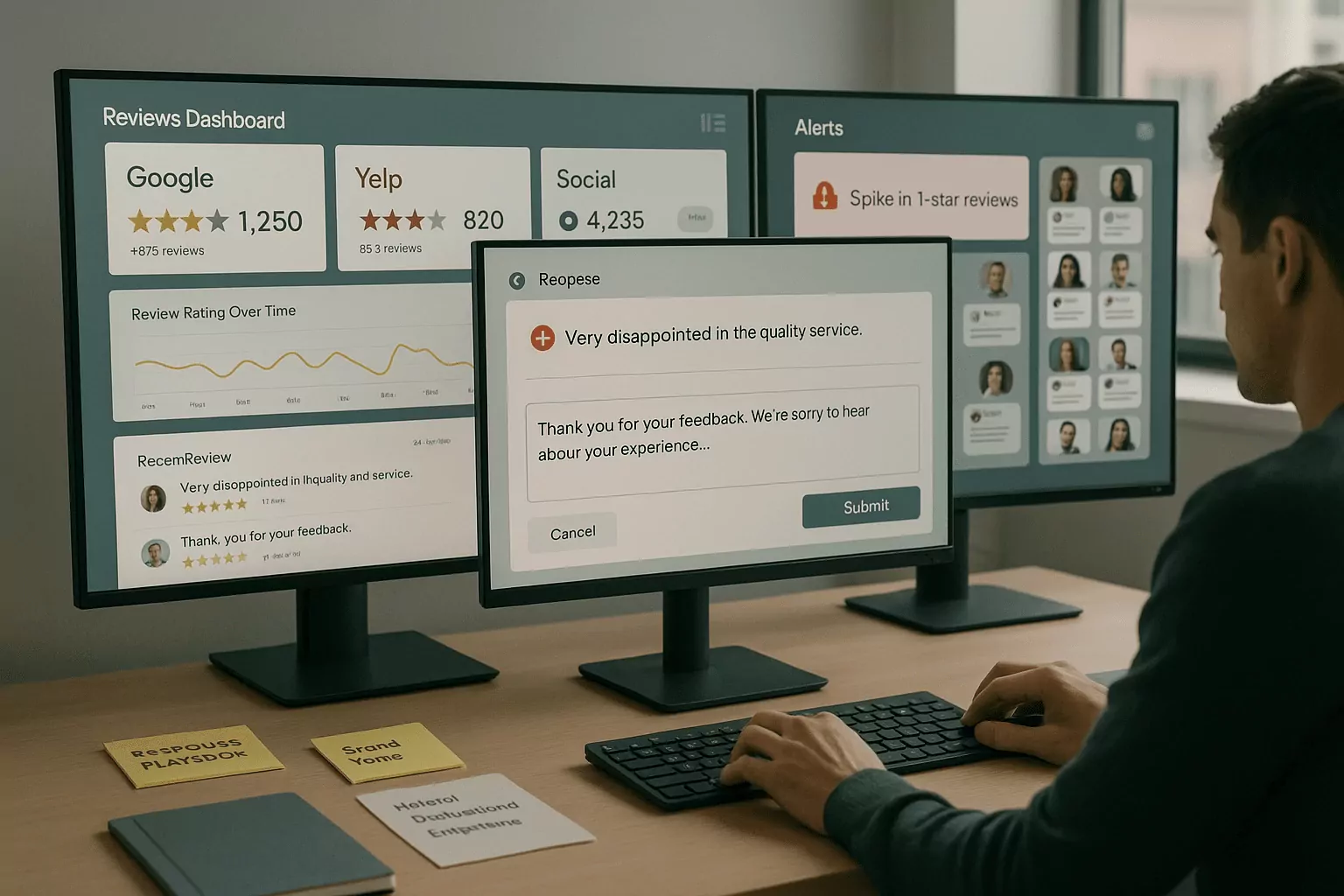
Start with a central dashboard that aggregates every rating and comment across properties. The best review monitoring tools update frequently and support filters for source, date, location, and sentiment. They let teams spot patterns early, such as product defects or service gaps driving low scores. Visualizations should highlight trends and outliers without burying you in noise. Fast visibility is how you protect brand trust before problems compound.
Online reputation management software should also support role-specific views. Executives need top-level performance and risk alerts, while operators need queues and action lists. Saved searches and smart folders reduce clicks for recurring tasks. Mobile access keeps field teams responsive when they are closest to the customer. When visibility meets usability, adoption rises naturally.
Request and Generation: Email, SMS, and QR
Proactively requesting feedback increases review volume and balances sentiment. Look for tools that send compliant email and SMS campaigns with timing logic tied to purchase or visit. QR codes at checkout, receipts, or tables create easy entry points for on-premise reviews. The right cadence avoids fatigue while nudging happy customers to share their experiences. Small changes in timing and audience can shift your rating mix significantly.
Be mindful of platform policies and local regulations when asking for reviews. Avoid gating or selective solicitation that violates site rules and erodes trust. Customer feedback management improves when requests are transparent, optional, and easy. Test message framing, call-to-action placement, and landing flow to reduce friction. Ethical tactics build durable reputation gains.
Publishing, Widgets, and Reputation Management Platform
Your website should showcase social proof without slowing page speed or breaking design. A strong reputation management platform provides fast, accessible widgets for carousels, badges, and location finders. It should cache safely, support schema markup, and avoid duplicate content pitfalls. Centralized moderation lets you feature recent, relevant testimonials with clear sourcing. Done well, on-site proof reinforces credibility and conversion.
Integrate with analytics to see how social proof influences behavior. Track clicks, dwell time, and assisted conversions tied to review modules. Online reputation management software that blends publishing with measurement helps you justify investment. Coordinate with SEO to align markup and page structure for maximum impact. When proof is both visible and verifiable, customers and search engines respond.
Building a Scalable Review Management Workflow
Intake to Resolution: Triage, Respond, and Escalate
Define clear stages that move each review from intake to resolution. Triage should assess severity, keywords, and customer status to set priority and next steps. Templates provide a starting point, but personalization shows care and prevents robotic tone. Escalation paths connect front-line replies to specialists who can fix root issues. Closed-loop follow-up confirms the customer's concern was addressed and documents learnings.
Align roles so accountability never blurs. Marketing may draft tone guides, while CX and operations own fixes and callbacks. Legal should set boundaries for sensitive topics without slowing day-to-day responses. Regular calibration sessions keep teams aligned on voice, thresholds, and service recovery gestures. Consistency at each step builds confidence internally and externally.
Automations in Tools for Managing Online Reviews
Use automation to reduce toil, not to replace judgment. Review response automation can route by language, assign by location, and tag by theme instantly. Auto-replies should be limited to low-risk scenarios with clear, friendly copy that invites a private channel. Drafting assistants can suggest responses, but a human should review before publishing. Guardrails prevent policy slips, brand voice drift, and unhelpful repetition.
Measure automation impact by time saved, SLA adherence, and customer sentiment changes. Keep a feedback loop where agents flag edge cases automation missed. Update rules and libraries as products, policies, and customer expectations evolve. Tools for managing online reviews should make these updates easy and track version history. When automation stays humble and transparent, quality goes up and risk goes down.
Connecting Customer Feedback Management to CX
Reviews are high-signal feedback that should inform product and service decisions. Strong customer feedback management links themes from reviews to tickets, NPS, and CSAT. When patterns repeat, convert insights into prioritized improvement work with clear owners. Share wins broadly so teams see how their fixes improve ratings and comments. This alignment turns reputation work into a growth engine.
Make insights accessible with self-serve dashboards and regular briefings. Create taxonomies that match your org structure so findings route to the right teams. Your reputation management platform should support annotations to mark releases, campaigns, and incidents. These context clues explain spikes and help you forecast outcomes. Connecting dots across channels strengthens both CX and marketing.
Measuring Impact and Proving ROI
KPIs That Matter: Volume, Velocity, and Rating Mix
Track how many reviews you earn, how fast they arrive, and how ratings distribute over time. Balanced growth in fresh, positive reviews signals healthy service and outreach. Monitor response time and response rate as core operational KPIs. Slice by location and channel to pinpoint where coaching or resources can help. A disciplined measurement approach keeps efforts focused and fair.
Quality matters as much as quantity, so analyze sentiment and themes alongside star ratings. Review monitoring tools with keyword clustering reveal what drives highs and lows. Use benchmarks to compare against peers and past periods to spot meaningful shifts. Tie improvements back to changes in process, training, or product rolls. When metrics tell a story, action naturally follows.
Attribution to Revenue and Local SEO
Better reviews influence discovery, clicks, and conversions across the funnel. Higher ratings and fresh content improve local pack visibility and click-through rates. Map changes in rating and review cadence to traffic, call volume, and bookings. Use controlled tests when possible to isolate impact by region or store. Clear attribution helps champion budget for the right initiatives.
Coordinate with SEO to align review efforts with on-page and listings hygiene. Ensure NAP consistency, categories, and services are accurate across directories. Online reputation management software that syncs listings and monitors edits reduces drift. Report on impressions, actions, and driving directions alongside ratings. Connecting reputation to visibility and revenue makes ROI undeniable.
Reporting Cadence, Executive Readouts, and Next Steps
Set a predictable rhythm for reporting so leaders can steer proactively. Weekly operational snapshots keep teams on SLA and response priorities. Monthly briefs summarize trends, wins, and risks with clear owners for follow-ups. Quarterly reviews connect reputation to revenue, churn, and brand health. Consistent storytelling turns data into decisions.
Standardize a one-page executive readout that highlights a few decisive metrics and actions. Add annotated timelines to explain spikes and dips with context. Your reputation management platform should automate data pulls and visualizations to save time. Close each report with next steps, deadlines, and owners to maintain momentum. Repeatable reporting proves value and sustains investment.
Frequently Asked Questions
What is the best way to compare tools for managing online reviews?
Start by defining your must-have outcomes, like faster response times, higher review volume, or clearer insights. Score vendors on coverage, workflow depth, reporting transparency, and security. Ask for proof of integration quality with your CRM, help desk, and analytics tools. Run a pilot that mirrors real volume and complexity across a few locations. Measure against baseline KPIs and collect feedback from daily users, managers, and legal. Prioritize total cost of ownership, not just license fees, including training and change management. Choose the platform that meets goals with the least operational friction.
How much automation is safe in review response workflows?
Use review response automation to classify, route, and draft, but keep humans in control of publishing. Limit auto-posted replies to low-risk, repetitive scenarios with clear guidelines. Require approvals for sensitive topics, low ratings, or legal issues to protect brand voice. Monitor automation accuracy and customer sentiment to spot drift early. Maintain an exceptions path where agents can bypass rules when judgment is needed. Document policies so teams know when and how automation applies. The right balance reduces toil while preserving empathy and accountability.
Which teams should own online reputation management software?
Ownership typically sits with marketing or CX, but success is cross-functional. Marketing manages voice, publishing, and insights for campaigns and conversion. CX or support handles triage, replies, and service recovery with clear SLAs. Operations and product teams use findings to fix root causes and improve experiences. Legal and compliance set boundaries and review sensitive cases or regulated industries. IT ensures integrations, security, and access control work at scale. A shared roadmap aligned to business goals keeps everyone rowing in the same direction.