Best Software for Acquiring Google Reviews: Top Tools 2026
Actionable picks and tactics for local businesses to automate requests, track results, and win more Google reviews.
How to Evaluate Review Acquisition Platforms
Why the best software for acquiring Google reviews matters
Choosing the best software for acquiring Google reviews is the fastest way to convert everyday satisfaction into public proof. The right platform standardizes outreach so every happy customer is invited at the perfect moment. It reduces friction, shortens time-to-review, and raises completion rates across SMS and email. Strong execution also protects your reputation by guiding compliant requests and routing unhappy feedback privately. With consistent review velocity, local rankings stabilize, click-through rates improve, and leads compound over time.
Great tools remove guesswork and make review request automation feel natural for customers and staff. When you centralize requests, responses, and reporting, managers see what works and refine quickly. Teams stop chasing one-off asks and start running reliable, scalable processes. That consistency beats sporadic heroics and prevents reputation dips during busy seasons. Ultimately, the right system becomes a quiet engine that keeps your profile fresh and trusted.
Core features that drive more reviews
Focus first on must-haves that directly increase Google reviews without adding extra workload. Native SMS review invites with short links tend to outperform email alone, especially when paired with timely reminders. Branded, mobile-first landing flows reduce taps and confusion, raising completion rates. Role-based permissions keep outreach aligned with service events while preserving accountability. Clear analytics show request volume, delivery, clicks, submissions, and conversion by channel.
Advanced platforms add intelligent throttling, time-of-day optimization, and message variation testing. They also support multilingual templates and accessibility-minded designs for broader reach. Tight contact validation prevents bad numbers and bounced emails from wasting sends. A capable customer feedback platform helps collect private NPS or CSAT alongside public reviews. Together, these features outperform generic Google review management tools in real-world conditions.
Integration and automation essentials
Review acquisition works best when it triggers from real customer milestones. Look for native integrations with your CRM, POS, EHR, scheduling, or ticketing tools to fire invites after completed jobs or appointments. If a native connector is missing, webhooks and Zapier make reliable fallbacks. Automation should map business rules, such as excluding recent reviewers or sending a reminder after 48 hours. These workflows are the backbone of repeatable results.
Two-way texting and unified inboxes keep context in one place when customers reply. Staff can answer questions, share the Google link again, or deflect issues before a bad rating lands. Calendar-aware delays avoid off-hours pings that feel intrusive. Audit logs document who sent what, which helps with training and compliance. When automation is thoughtful, online reputation software fades into the background and just works.
Compliance, permissions, and Google policies
Stay aligned with Google's policies by avoiding incentives, gating, or selective solicitation. Ask all customers fairly and never require positive sentiment to leave a public review. Offer private feedback channels for issues, but keep public invitations open to everyone. Make opt-in and opt-out flows obvious, honoring local consent laws for SMS and email. Clear policies prevent penalties and keep trust intact.
Internally, set permissions so only approved users send or edit templates. Standardize tone, branding, and timing across locations while allowing local nuances. Document data retention, access controls, and deletion practices that match your privacy commitments. Teach teams to avoid pressuring language and to route complaints into service recovery steps. Long term, compliance is not a blocker-it is a moat that protects your growth.
Top Tools for 2026: Platforms That Win More Google Reviews
Podium overview and standout features
Podium excels at text-first outreach and centralized messaging, which typically lifts conversion. Its inbox aggregates SMS, web chat, and social DMs, letting staff manage replies without switching tabs. Templates feel polished, and send-time controls are strong for busy teams. Location rollups and per-user activity logs simplify oversight for multi-site operations. For many local brands, this blend of speed and structure delivers consistent review velocity.
Where Podium shines is operational fit. It plugs into common CRMs and POS systems, triggering invites from natural milestones. It also supports collections, payments, and messaging beyond reviews, consolidating customer touchpoints. If you value review request automation plus broader communication, the platform covers both. That added surface area can reduce vendor sprawl while sustaining momentum to increase Google reviews.
Birdeye review acquisition strengths
Birdeye offers deep coverage for listings, surveys, and reputation alongside review invites. The breadth of features suits teams that want one system for monitoring, messaging, and analytics. Its templating is flexible, with good personalization and multilingual support. The dashboard highlights sentiment and trends that inform service improvements. For leaders who want insights plus acquisition, Birdeye earns a close look.
Automation is a core pillar, with triggers spanning CRM updates, appointments, and ticket closures. The platform's survey tools help capture private feedback before it becomes public frustration. Strong reporting shows conversion by channel, staff, and location, improving coaching. As an online reputation software suite, Birdeye can replace multiple point tools. That consolidation often improves adoption and outcome consistency.
NiceJob for automated review requests
NiceJob focuses on making review acquisition simple and automated for small to midsize teams. Its campaign builder streamlines timing, reminders, and tone with minimal setup. The interface favors clarity over clutter, which speeds staff adoption. Integrations with scheduling and invoicing tools keep triggers tied to real work. For teams chasing a quick win, NiceJob delivers predictable results.
The product also offers straightforward social proof widgets that surface fresh reviews on your site. That feedback loop can lift conversion on high-intent pages and calls-to-action. Templates lean conversational, which aligns with how customers text today. Reporting shows what's working without overwhelming operators with noise. For many SMBs, it is the easiest path to increase Google reviews consistently.
Grade.us and agency-friendly workflows
Grade.us pairs flexible campaigns with white-label options that agencies appreciate. Its modular approach makes it easy to tailor flows for different verticals. Client-facing dashboards communicate progress without exposing backend clutter. The system supports granular permissions across accounts, locations, and users. For resellers, the packaging and branding controls are a real advantage.
Automation and templates are solid, with strong landing flow customization. Agencies can standardize best practices and clone them across clients quickly. Reporting aligns to common KPIs like conversion, velocity, and star distribution. Webhooks and integrations keep data moving to CRMs or data warehouses. If you manage portfolios, these agency-centric touches save hours weekly.
Free and budget options worth testing
Bootstrapped teams can start with lightweight tools before upgrading. Google's own review links, short URLs, and printed QR codes go a long way when paired with a simple cadence. Low-cost texting apps plus a customer feedback platform or form can capture sentiment and route service recovery. Spreadsheet tracking keeps accountability visible during early stages. The key is committing to consistent asks tied to real milestones.
As volume grows, step up to specialized Google review management tools for automation and compliance. Look for affordable tiers that include SMS, reminders, and conversion reporting. Prioritize integrations that reduce manual work, even if they are basic at first. Reinvest a portion of new revenue into better workflows as ROI becomes clear. Momentum matters more than perfection in the first quarter.
Proven Campaign Playbooks to Increase Google Reviews at Scale
SMS-first review request flows
Text messages are opened and acted on faster than most emails, making them ideal for post-service outreach. Send the first SMS within two hours of the appointment or job completion, while the experience is fresh. Keep the copy short, personal, and human, with a direct Google link. Add one polite reminder 48-72 hours later for those who missed it. Respect opt-outs and avoid off-hours pings that feel intrusive.
Measure each step: delivered, clicked, and completed to spot drop-offs. A/B test phrasing, timing, and sender names to lift conversion incrementally. Rotate two to three templates per location to prevent fatigue. Pair SMS with a follow-up email for customers who prefer the inbox. Over time, these refinements compound and raise your baseline conversion.
Post-transaction email sequences that convert
Email still wins when messages require context or include next steps. Send a thank-you email the same day with a simple call-to-review and one-click path to Google. Follow with a concise reminder two days later, then a final nudge a week out. Use meaningful subject lines and preview text that feel personal, not corporate. Ensure the landing experience is mobile-first and frictionless.
Segment by service type, region, or customer lifecycle to tailor tone and timing. Test a short testimonial in the body to prime the social proof mindset. Track open, click, and submission rates by template to guide edits. Combine email insights with SMS data to understand total lift. Together, these channels fortify your review request automation program.
QR codes, short links, and on-site prompts
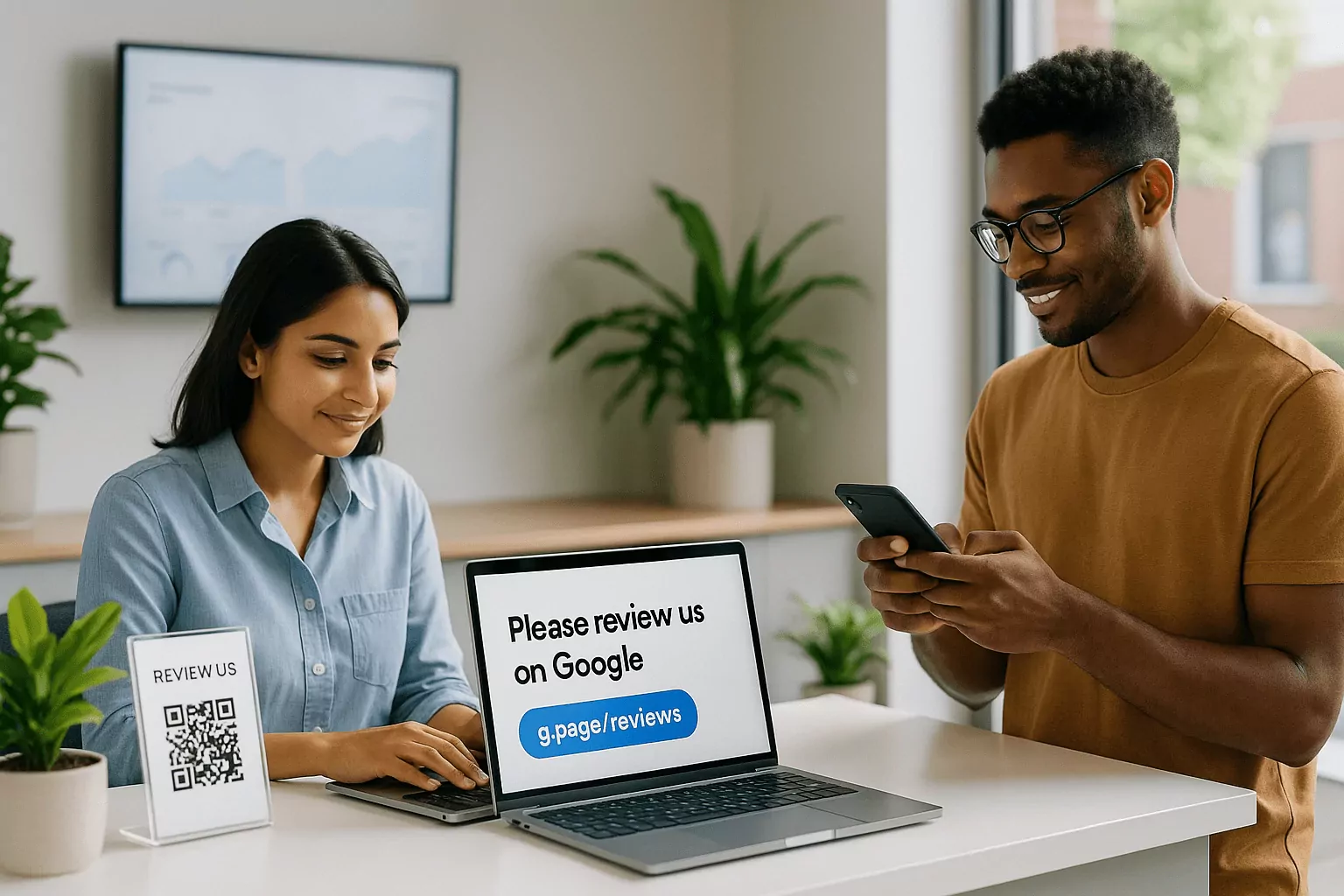
Physical touchpoints convert when staff are trained to point them out naturally. Place QR codes on receipts, thank-you cards, counters, and service vehicles. Use branded short links on signage for easy typing if scanning fails. Rotate designs quarterly so regulars notice fresh prompts. Track each code and link to see which placements perform best.
Coach teams to ask at the right moment, such as after a successful walkthrough or checkout. Provide a one-sentence script that sounds authentic and respectful. Celebrate wins publicly so asking becomes part of muscle memory. Tie results to friendly contests with recognition, not rewards for reviews themselves. When on-site prompts complement digital flows, volume rises noticeably.
Responding to reviews to boost volume
Thoughtful responses signal that feedback is valued, encouraging more customers to share. Thank reviewers by name, reference specifics, and keep replies concise. For negative reviews, acknowledge the issue and invite a private channel to resolve it. Avoid canned language that reads insincere at a glance. Timely, human replies improve perception and drive future participation.
Centralize response workflows in your platform so nothing slips. Set SLAs by rating severity and automate alerts for urgent cases. Train staff on tone guidelines and empower them with resolution options. Report on response times and sentiment shifts to refine service processes. Strong engagement elevates your profile and complements acquisition efforts.
Measuring What Matters: Review Analytics and ROI
Review velocity, rating mix, and profile health
Track how many Google reviews you earn weekly to spot momentum or slowdowns. Monitor the ratio of 4-5 star to 1-3 star ratings to understand sentiment. Audit profile completeness, categories, photos, and Q&A for trust signals. Watch keyword-rich review content that can influence local pack relevance. Healthy profiles win clicks even in crowded markets.
Dashboards should show conversion funnels from request to review across channels. Break down performance by staff, template, and location to surface coaching opportunities. Seasonality and service mix shifts will affect results, so compare like periods. Share concise scorecards with teams to keep focus on leading indicators. When visibility is shared, behavior improves consistently.
Attribution and revenue impact
Tie review gains to bottom-line outcomes to justify investment. Track local pack rankings, CTR, and call/chat starts alongside review volume. Correlate lift with booked appointments, estimates, or invoices per location. Add UTM parameters and call tracking for stronger connections. Even directional insights help prioritize the next improvement.
As your system matures, build a lightweight model for review-driven revenue. Estimate average revenue per new lead times incremental leads from visibility gains. Compare against software and labor costs to validate ROI. Reinvest a portion of returns into better integrations and training. Continuous improvement keeps advantages compounding.
Benchmarking against local competitors
Context matters, so compare your velocity and rating mix to the top three competitors. Note how often they respond, what customers praise, and which services get mentioned. Identify content gaps your team can close with outreach and service tweaks. Calibrate goals that exceed local norms rather than generic targets. Winning locally is the shortest path to durable gains.
Repeat competitive checks monthly and after major campaigns. If rivals surge, dig into their likely triggers and adapt quickly. Keep experimenting with send times, copy, and channels to stay ahead. Document your playbook so improvements persist through staff changes. Small, steady edges decide most local pack battles.
Implementation for Teams and Agencies
Setup checklist for your first 30 days
Start with data hygiene: validate numbers and emails, deduplicate, and tag consent where required. Connect core systems so events trigger invites automatically. Build two SMS and two email templates per service line, then set reminder logic. Configure roles, permissions, and locations with clear ownership. Launch with a pilot group and measure baseline conversion.
In week two, train staff on scripts and response guidelines. Add QR codes and short links to onsite touchpoints. Review analytics twice weekly, updating templates with early learnings. By week four, roll out to all locations with a simple scorecard. Keep iterating template copy and timing to sustain gains.
Training front-line staff and setting SLAs
Front-line teams are the face of your review program, so clarity wins. Provide a one-page script, do short role-plays, and celebrate early successes. Set SLAs for sending invites, replying to reviews, and escalating issues. Share examples of great responses and explain why they work. Consistency across reps and shifts beats occasional brilliance.
Make performance visible with simple dashboards or weekly shout-outs. Rotate owners for campaign tests so everyone learns by doing. Create a feedback loop where staff propose template tweaks from real conversations. Keep training light but ongoing to account for turnover. When culture supports the process, results become predictable.
Selecting the best software for acquiring Google reviews
Match platform strengths to your workflows, not the other way around. If texting is core, prioritize two-way SMS, inbox usability, and deliverability. For agencies or multi-location brands, look for white-labeling, cloning, and permission depth. When insights matter, choose tools with robust analytics and export options. Align pricing with locations, seats, and projected review volume.
Shortlist two or three vendors and run live trials on a single location. Compare conversion, staff adoption, and integration reliability over two weeks. Weigh qualitative feedback from front-line users alongside metrics. Ensure each contender supports Google review management tools and broader online reputation software needs. Choose the one your team actually enjoys using; adoption drives outcomes.
Multi-location and franchise considerations
Central teams need visibility while locations need autonomy. Use templated campaigns with local personalization for names, hours, and services. Standardize reporting rollups, but track per-location performance for coaching. Set send limits and quiet hours that respect each market. Keep brand tone consistent while allowing regional phrasing.
For franchises, pre-approve assets and lock critical settings. Offer monthly office hours and a shared playbook to spread best practices. Automate onboarding for new locations with cloned workflows and checklists. Compare regions against peers, not just the network average, to keep targets fair. Scale thrives on structure plus local pride.
Frequently Asked Questions
How fast should results appear after launching review software?
Most teams see movement within the first two weeks if triggers and templates are set correctly. SMS usually converts first, followed by email as reminders land. Expect a clear shift in review velocity inside 30 days for active locations. Quality of data and consent status strongly affect early traction. Seasonality and service volume also shape outcomes, so compare against prior periods. With tight execution, the curve steepens steadily over the first quarter.
Is it okay to offer incentives for Google reviews?
No-avoid incentives that condition reviews or ratings, as they violate Google's policies. Ask all customers fairly and never require positive sentiment to proceed. Provide private feedback channels for issues and public paths for everyone else. Train staff on neutral language that invites honest experiences. Following the rules protects your profile from takedowns or penalties. Compliance builds long-term credibility that outperforms quick hacks.
What metrics matter most for proving ROI?
Start with request-to-review conversion and weekly review velocity by channel. Pair those with rating mix and response times to gauge quality and engagement. Connect visibility to outcomes by tracking calls, chats, and website visits from Google. Tie those signals to estimates, appointments, or invoices for revenue impact. Compare results to software and labor costs to validate payback windows. Use these insights to double down on the best-performing messages and moments.